Xcode Integration
Before setting up Xcode integration, first get Periphery working in a terminal, as you will be using the same command via Xcode. Your project may require passing the -destination argument to xcodebuild. This can be done by supplying it as an additional argument, e.g. periphery scan ... -- -destination "generic/platform=iOS Simulator".
Step 1: Create an Aggregate Target
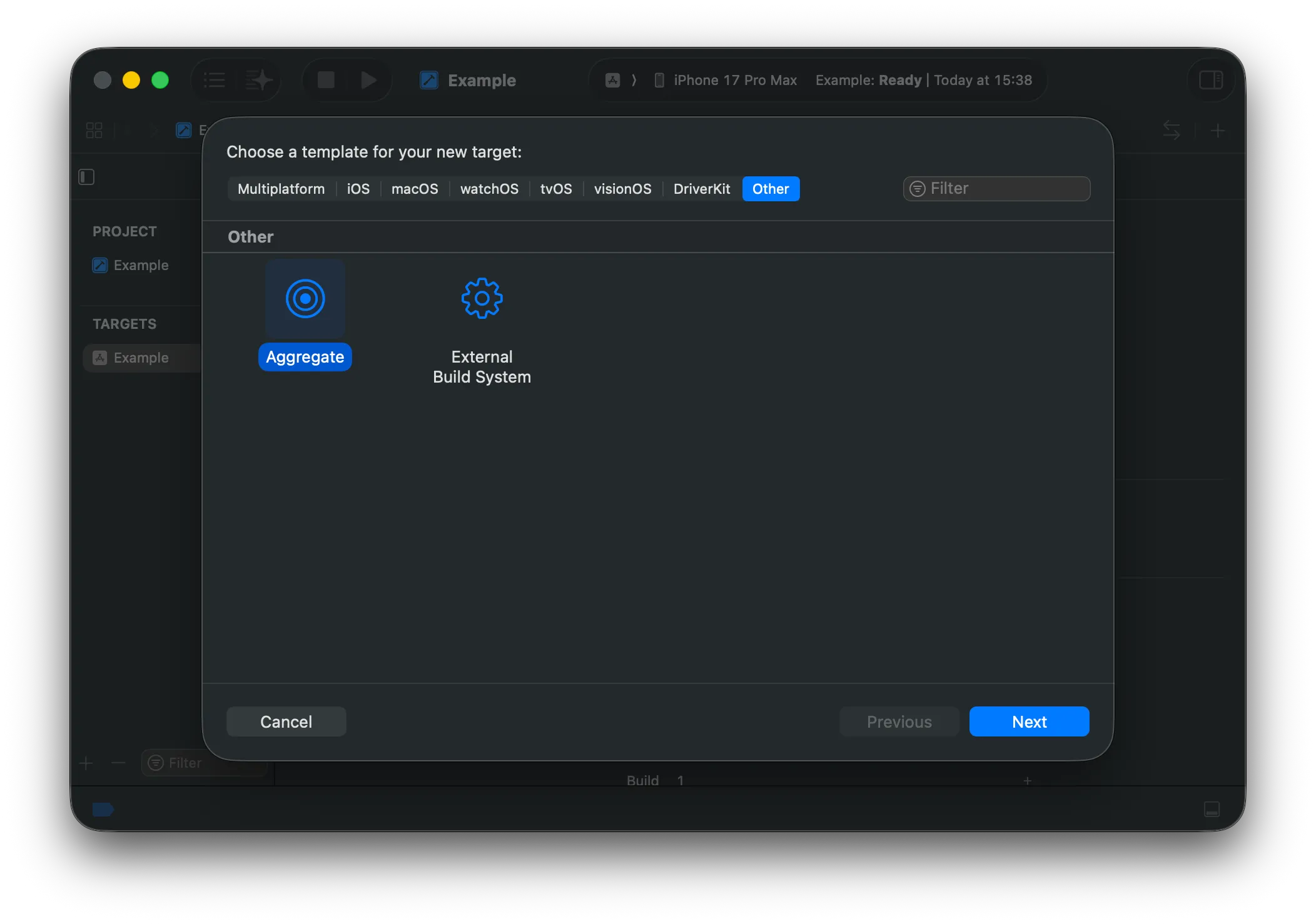
Section titled “Step 1: Create an Aggregate Target”Select your project in the Project Navigator and click the + button at the bottom left of the Targets section. Select Other and choose Aggregate. Hit Next.
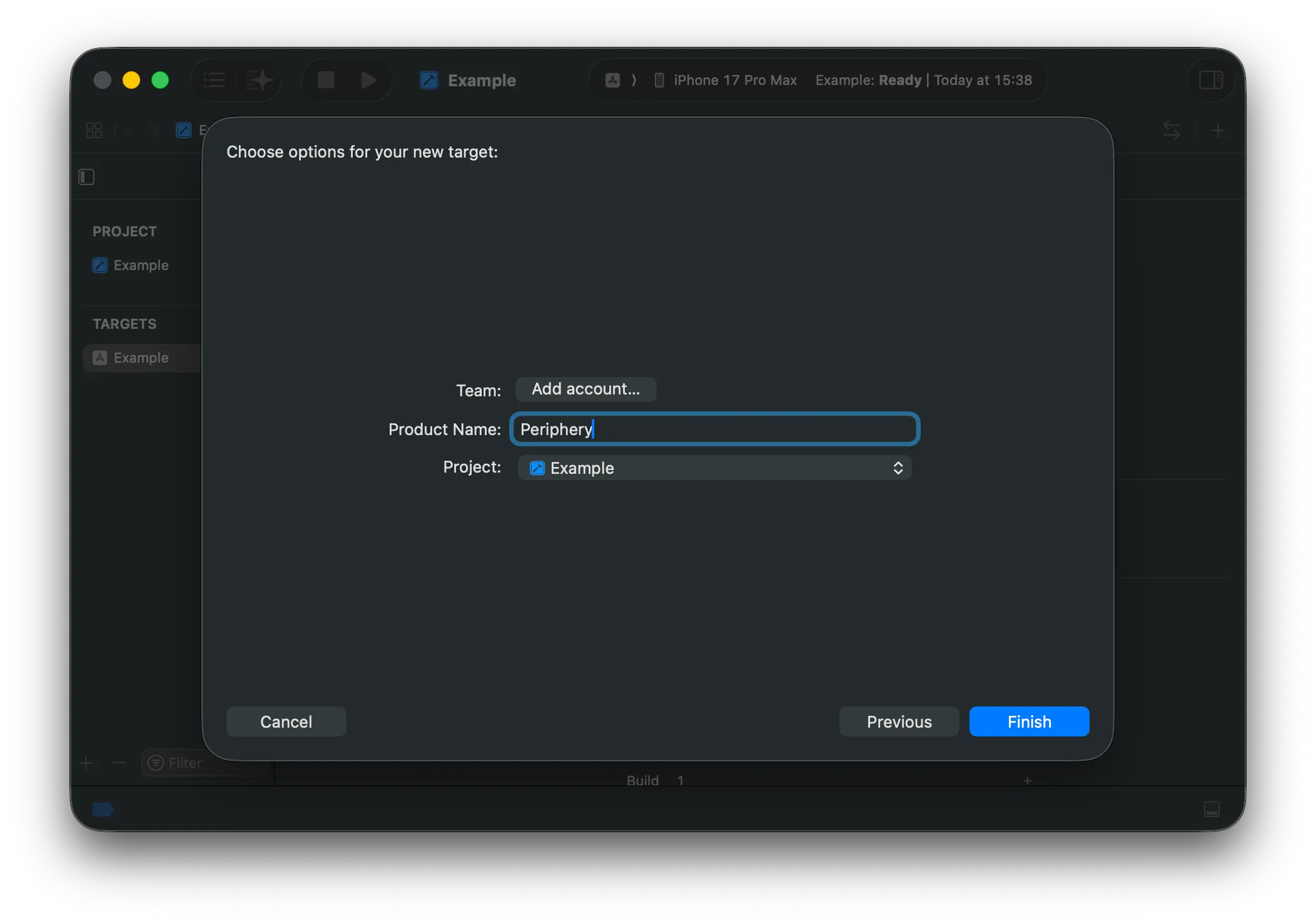
Choose a name for the new target, e.g., “Periphery” or “Unused Code”.
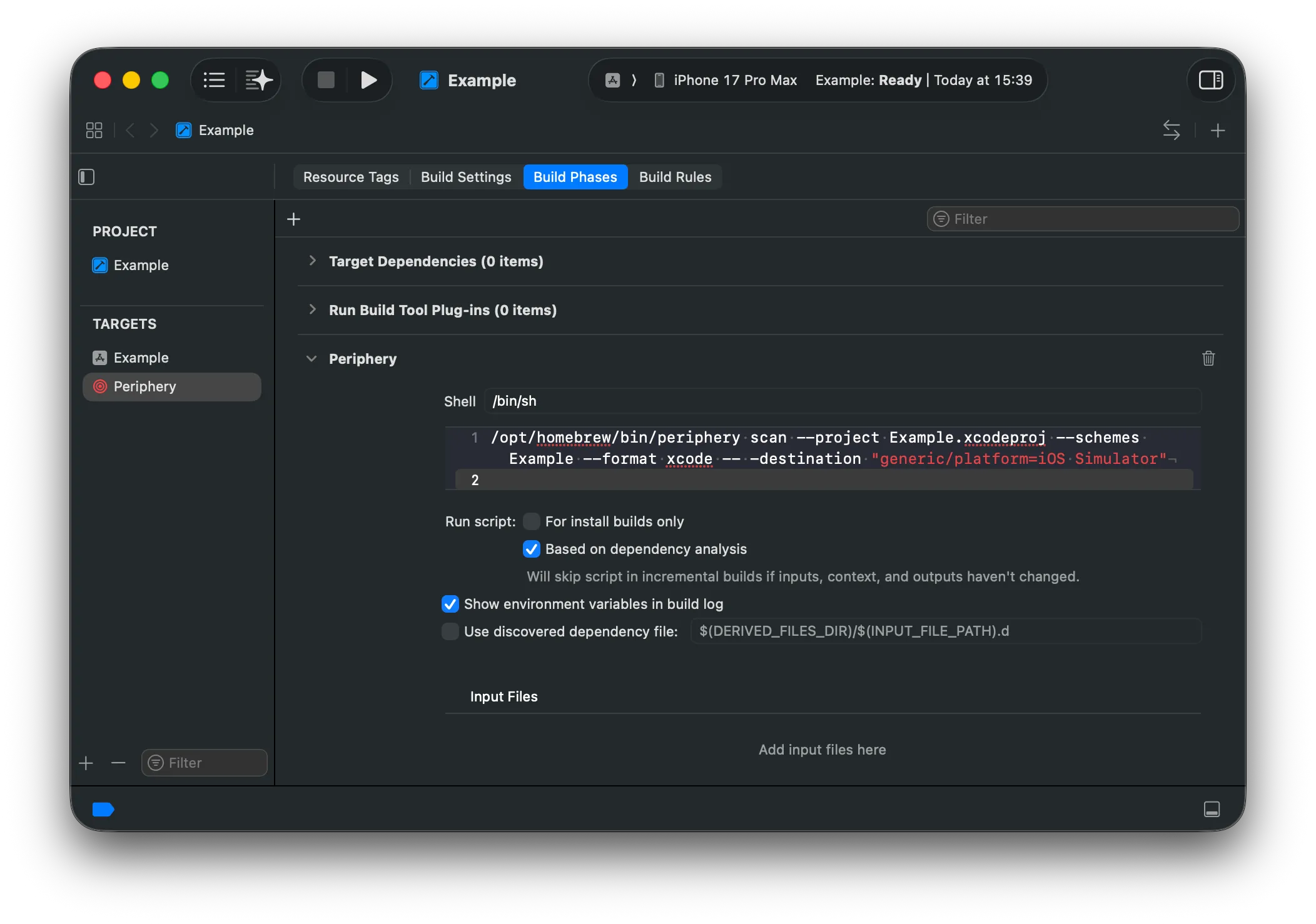
Step 2: Add a Run Script Build Phase
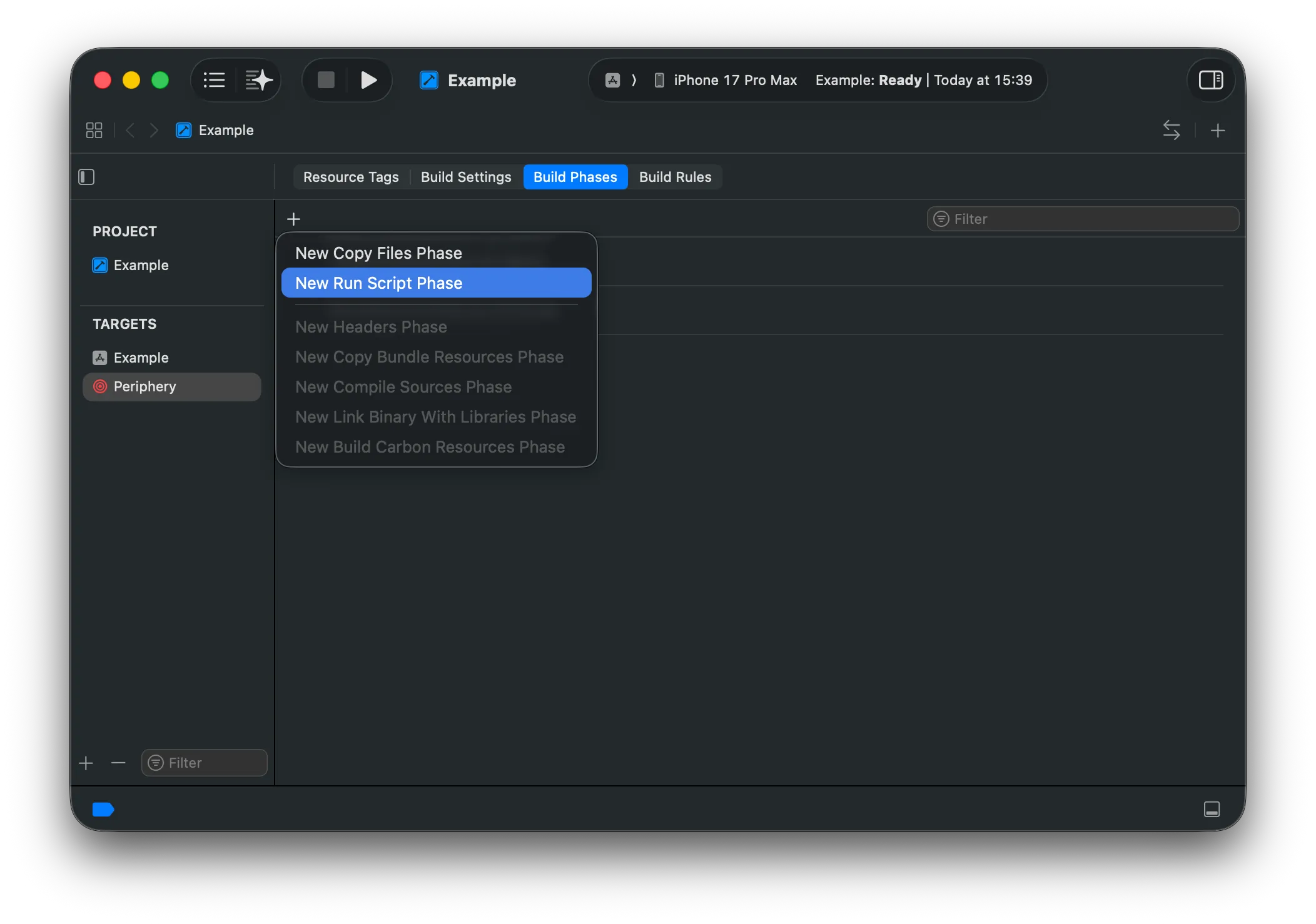
Section titled “Step 2: Add a Run Script Build Phase”In the Build Phases section, click the + button to add a new Run Script phase.
Copy and paste your Periphery command into the script input.
Step 3: Disable User Script Sandboxing
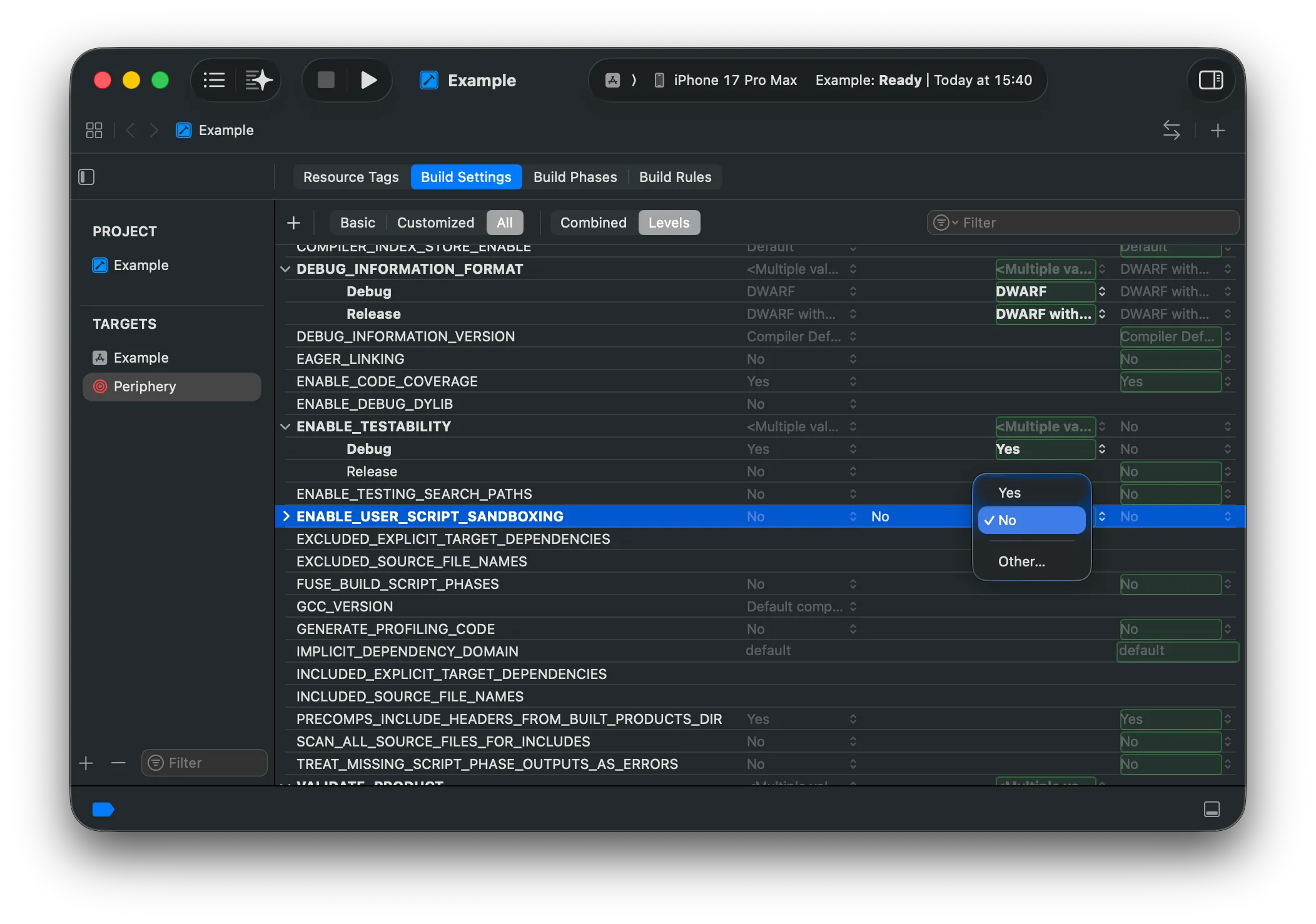
Section titled “Step 3: Disable User Script Sandboxing”You must disable User Script Sandboxing for the Run Script phase. Periphery requires access to your project’s index store and source files, which are blocked by Xcode’s default sandbox. To disable sandboxing, set the ENABLE_USER_SCRIPT_SANDBOXING option to No in the Build Settings for the Periphery aggregate target.
Step 4: Select & Run
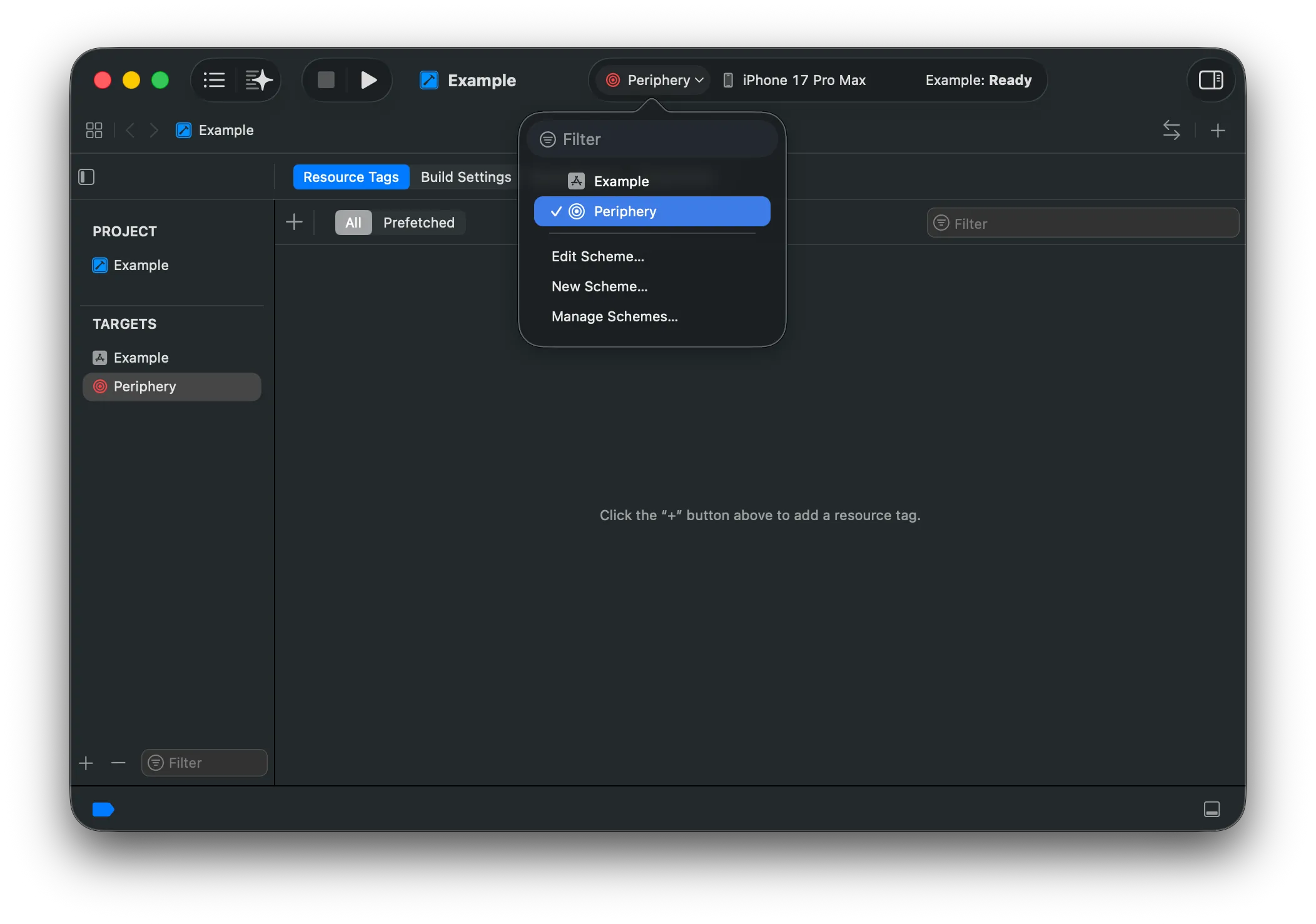
Section titled “Step 4: Select & Run”You’re ready to roll. You should now see the new scheme in the dropdown. Select it and hit run.